

Business meetings often involve several devices, including cameras, microphones, displays, speakers, and computers. Each component serves a specific purpose, but connecting them can add setup steps and create compatibility issues. When companies upgrade their meeting rooms, they need to decide whether an integrated meeting board or a separate audiovisual (AV) system better fits their daily work.
The choice depends on room size, meeting frequency, collaboration needs, and existing equipment. An integrated display can simplify routine meetings, while a separate AV system offers flexibility for rooms with specialized requirements. Understanding these differences helps procurement teams evaluate equipment based on practical use rather than a specification list alone.
What Makes an All-in-One Meeting Board Different?
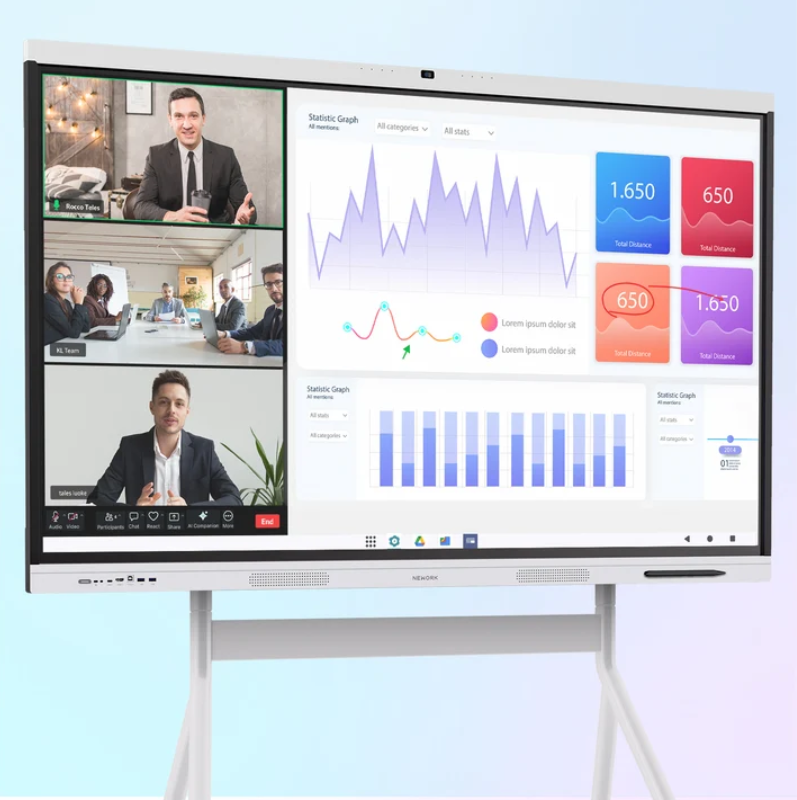
An all-in-one meeting board combines several meeting functions in one display. Depending on its configuration, it can support visual presentations, interactive writing, video conferencing, and audio playback. Instead of connecting separate devices for every function, users can access several tools through a shared interface.
This arrangement suits rooms where employees switch between presentations, remote discussions, and collaborative planning. Staff can display documents, annotate ideas, and communicate with remote participants without moving between multiple screens or control panels.
A traditional AV system usually consists of separate displays, cameras, microphones, speakers, and control equipment. Each component can be selected for a particular purpose. However, the installation may require additional cabling, configuration, and coordination between devices.
Neither approach automatically fits every workplace. A small meeting room with regular video calls may benefit from an integrated design. A large conference venue with complex acoustics or specialized camera requirements may need a more customized system.
Compare the Main Hardware Components
The first comparison should cover the equipment required for a complete meeting experience. Buyers should look beyond the display itself and consider the camera, microphone arrangement, speakers, computing platform, and control interface.
An integrated board reduces the number of separate devices in the room. This can make installation planning easier and leave fewer components for staff to operate. It may also reduce the need to troubleshoot connections between equipment from different manufacturers.
Separate AV systems provide more freedom when choosing individual components. For example, a company may select a camera with specific framing capabilities or microphones suited to a large conference table. This flexibility can be useful when the room has unusual dimensions or demanding audio requirements.
Procurement teams should compare the complete equipment list for each option. A separate system may need additional mounting hardware, cables, switching equipment, and installation labor. An integrated board may reduce these requirements, although compatibility with existing computers and conferencing platforms still needs to be checked.
How Audio Quality Affects Hybrid Meetings
Clear speech is essential when participants join from different locations. Poor microphone coverage can make remote attendees miss important details, while echo and background noise can interrupt discussions. Audio specifications should therefore be assessed alongside display size and resolution.
The NewBoard P Series is presented as an all-in-one interactive whiteboard for office environments, with optional Windows OPS support for PC-based use. Its listed audio configuration includes an eight-microphone array with AQUA DSP and a stated voice pickup range of 12–16 meters. These features are relevant when evaluating how an integrated board may serve a shared meeting space.
The specified audio functions also include AI noise reduction that filters more than 300 types of noise, echo cancellation, and full-duplex double-talk. Dual 20 W speakers support audio playback. Together, these functions address common meeting challenges, although actual performance still depends on room acoustics, participant positions, and background noise.
A separate AV installation may offer greater freedom to position microphones and speakers around a conference table. Buyers should compare the stated pickup range, speaker output, acoustic processing, and microphone placement. A demonstration with several people speaking from different seats can reveal practical differences that a specification sheet cannot fully explain.
Consider Software, Compatibility, and Daily Operation
Hardware integration matters, but the computing platform also affects how employees use meeting equipment. Before purchasing, IT teams should check supported conferencing applications, screen-sharing methods, operating system requirements, network access, and security policies.
The NewBoard P series for business can be evaluated as an integrated meeting display for organizations that want presentation and collaboration functions in one device. Optional Windows OPS support may be relevant when users need a PC-based environment. Buyers should confirm the required operating configuration and application compatibility before placing an order.
A separate AV system may connect to an existing conference room computer or a dedicated conferencing appliance. This approach can suit organizations with established IT standards or specialized meeting software. However, additional components can introduce more configuration tasks and potential connection issues.
Daily operation deserves equal attention. Consider how employees start meetings, switch between content sources, share screens, adjust volume, and annotate documents. A simple workflow can reduce training demands, particularly in rooms used by different departments. IT staff should also review firmware updates, remote administration, warranty coverage, and access to technical support.
Calculate the Total Cost of Ownership
Purchase price is only one part of the financial comparison. A separate AV system may involve individual equipment purchases, installation labor, cable management, control integration, and periodic servicing. These costs should be included when comparing proposals.
An integrated meeting board may reduce the number of devices and connections required. It can also simplify the room layout. However, buyers should account for mounting, power, network access, software requirements, and any optional computing hardware.
Maintenance planning also affects long-term costs. With separate components, a faulty camera or microphone may be replaced independently. An integrated unit can reduce component count, but a problem affecting the main device may interrupt several meeting functions at once. The appropriate choice depends on service arrangements, replacement procedures, and the organization’s tolerance for downtime.
For companies reviewing the NewBoard P series for business, the useful comparison is the complete room cost rather than the display price alone. Request itemized quotations, clarify which accessories are included, and compare installation and support terms across suppliers. This gives procurement teams a more realistic basis for budgeting.
Match the System to the Meeting Room
Room requirements should guide the final decision. Small and medium meeting rooms often prioritize quick startup, straightforward screen sharing, clear speech, and limited equipment clutter. An integrated board may suit these needs when its supported functions match the company’s conferencing workflow.
Larger rooms require closer attention to seating distance, microphone coverage, camera framing, and display visibility. A separate AV system may be appropriate when the room needs distributed microphones, additional displays, or specialized control. Buyers should assess the actual floor plan instead of assuming that one equipment type will work equally well in every space.
Companies planning several meeting rooms should also consider standardization. Using a consistent interface across similar rooms can simplify staff training and IT support. Rooms with different purposes can still use different configurations when their requirements justify the variation.
Make the Decision Through Practical Testing
A useful evaluation combines technical specifications with real meeting tasks. Ask users to share a presentation, annotate a document, conduct a video call, and speak from different positions in the room. Record setup time, audio clarity, ease of control, and any compatibility issues.
Nework smart board solutions can be included in a supplier comparison when organizations are assessing integrated meeting displays. Buyers should verify the exact configuration, software support, included accessories, and service terms against their project requirements rather than relying on product category descriptions alone.
The final choice should reflect how employees actually meet. An integrated board can reduce equipment complexity for routine collaboration, while a separate AV system can provide more configuration freedom for demanding spaces. By comparing hardware, audio, software, installation, and ongoing support together, procurement teams can select an arrangement that fits both current workflows and future room plans.


